


The decision to repair or replace an old laptop hinges on a few key factors: the cost of repair versus a new device’s value, your usage needs, and the age of the laptop. Generally, if repairs exceed 30-40% of a new entry-level laptop’s price, or if your current machine is over five years old and struggling with modern software, replacement often makes more sense. For critical components like a failing motherboard, replacement is almost always the more practical choice for long-term reliability and better performance.
That moment when your trusty laptop starts sputtering, freezing, or just won’t hold a charge anymore—it’s frustrating, isn’t it? Whether you’re a student trying to hit a deadline, a remote worker in Berlin needing reliable connectivity, or a parent in Manchester juggling family tasks, a slow computer can grind your day to a halt. The big question then becomes: do you throw good money after bad trying to fix it, or is it time to bite the bullet and invest in something new? Navigating the world of tech buying and setup advice when to repair or replace an old laptop is a common dilemma.
This isn’t just about saving a few pounds or euros; it’s about making a smart decision that supports your productivity and peace of mind. We’ll walk through the practical considerations, helping you weigh the costs, benefits, and long-term implications for your home office, study, or creative endeavors. Let’s dig into the details to figure out the best path forward for your specific situation.
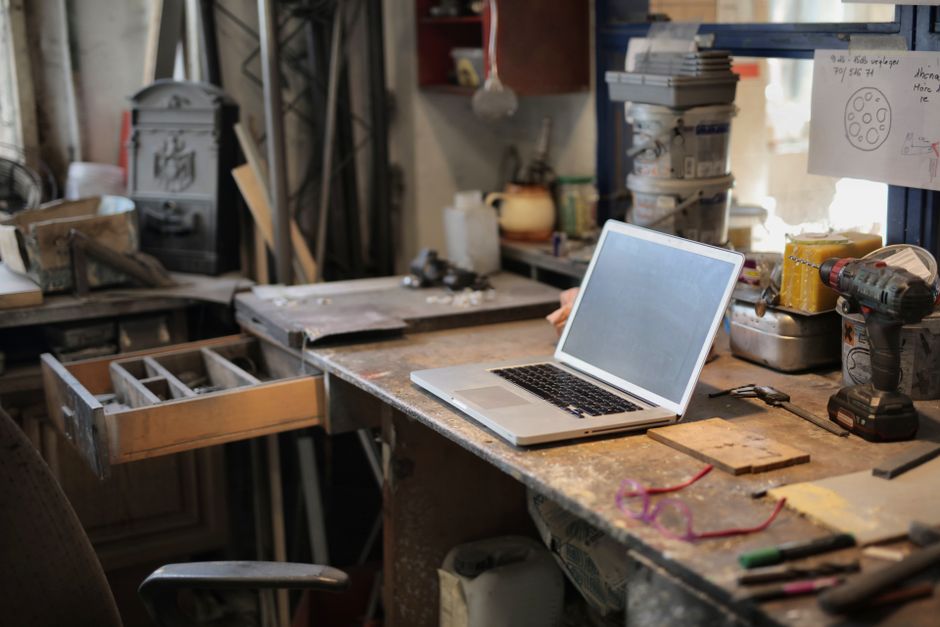
Assessing the Symptoms: What’s Really Going On?
Before you even think about calling a repair shop or browsing new models, take a moment to understand what’s actually wrong. Some issues are minor fixes, while others are clear indicators that your laptop is on its last legs. A simple software glitch might feel like a major hardware failure, but it’s usually an easy, inexpensive fix.
Software Glitches vs. Hardware Failures
Is your laptop running slow? It could be bogged down by too many startup programs, a cluttered hard drive, or even a virus. These are often solvable with a bit of maintenance: uninstalling unused applications, running a disk cleanup, or performing a factory reset. For many, this process can revitalize an older machine, making it feel snappier without spending a penny on new hardware. However, if applications crash regularly, the operating system struggles to boot, or error messages are constant, it might point to deeper issues.
Hardware problems are usually more apparent. A flickering screen, unresponsive keyboard keys, or a fan that sounds like a jet engine taking off are all red flags. A failing hard drive can lead to data loss and slow performance, while a dead battery cripples mobility. Knowing the difference between these types of issues is the first step in sound tech buying and setup advice when to repair or replace an old laptop.
When Age Becomes a Factor
Laptops, like all technology, have a shelf life. Most consumer laptops are designed to last around 3-5 years. After this point, components start to wear out, and the hardware struggles to keep up with newer software demands. An 8-year-old laptop, for instance, might technically run Windows 11, but it will likely feel sluggish, especially if you’re trying to run modern applications or edit videos. In Germany, where consumers value durability, many still try to extend their laptops’ lives, but at some point, the performance gap becomes too wide.
The Cost of Repair: Is It Worth It?
Repair costs can quickly add up, and often, what seems like a small fix can balloon into a significant expense. It’s crucial to get a clear estimate before committing.
Common Repairs and Their Price Tags
- Battery Replacement: A common issue. Old batteries lose their capacity, affecting battery life. Expect to pay between €50-€150 in Europe or $50-$150 in the US, depending on the model. This is often a worthwhile repair, especially for a laptop that’s otherwise in good condition.
- Hard Drive/SSD Upgrade: If your laptop has a traditional hard drive (HDD), upgrading to a Solid State Drive (SSD) is one of the most impactful upgrades you can make. It dramatically speeds up boot times and application loading. An SSD and installation might cost €100-€250/$100-$250. This is probably the tech upgrade that will make the biggest everyday difference.
- RAM Upgrade: Adding more RAM (memory) can help with multitasking. If your laptop feels slow when you have multiple tabs or programs open, this could be the fix. Costs range from €50-€150/$50-$150.
- Screen Replacement: Cracked screens are common, but often expensive to fix. Depending on the screen type (touchscreen, high-res), this can cost €150-€400/$150-$400, sometimes more. This usually pushes the decision towards replacement.
- Motherboard Repair/Replacement: This is almost always a deal-breaker. A new motherboard can cost as much as a new laptop, making replacement the only sensible option.
When considering these costs, always compare them to the price of a new, comparable entry-level laptop. If the repair cost exceeds 40% of a new machine’s price, a new purchase is usually the smarter long-term investment. For students in Poland or families in France, balancing budgets is key, so this cost-benefit analysis is vital.
The Best Noise-Cancelling Headphones for Work and Travel
Beyond Repairs: The Hidden Costs of Keeping an Old Laptop
It’s not just about repair bills. An old laptop can cost you in other ways too.
Productivity Drain and Frustration
Every minute spent waiting for applications to load, or struggling with slow connectivity, adds up. For remote workers in London or Milan, this can directly impact their work output. The mental toll of constant frustration also shouldn’t be underestimated. Your time is valuable, and if an old laptop is eating into it, that’s a significant hidden cost.
Security Risks and Software Compatibility
Older operating systems or hardware might not be compatible with the latest security updates, leaving your data vulnerable. Imagine a small business owner in Spain using an unsupported OS—that’s a major risk. Additionally, newer software, especially for creative tasks, often demands more powerful hardware than a five-year-old laptop can provide. You might find yourself unable to run essential applications for your studies or work.
Lack of Modern Features and Connectivity
Modern laptops come with benefits like USB-C ports for versatile connectivity, improved Wi-Fi 6 for faster networking, and better webcams for video calls. An older laptop might lack these features, making device setup for a modern home office more cumbersome. Trying to connect a new monitor or external hard drive to an old machine with outdated ports can be a real headache.

When a New Laptop Is the Right Move
Sometimes, despite your best efforts, it’s simply time for an upgrade. Knowing when to make that leap can save you from future headaches and lost productivity.
Significant Performance Issues
If your laptop consistently struggles with everyday tasks—even after a fresh operating system install—or if it’s too slow for the software you need for work or hobbies (e.g., video editing, CAD software, demanding games), it’s a strong sign. A new machine will offer a dramatic improvement in speed and responsiveness.
Critical Hardware Failure
If the motherboard fails, the CPU dies, or multiple components need replacing simultaneously (like screen and battery), the cost of repair often outweighs the value of the old machine. At this point, new tech buying and setup advice when to repair or replace an old laptop points strongly towards replacement.
You Need Modern Features and Better Connectivity
Do you need faster Wi-Fi for your home office? Better battery life for working on the go? USB-C ports to connect to modern docking stations and peripherals? An upgraded webcam and microphone for video conferencing? If your current laptop lacks these crucial features, a new one will enhance your productivity and user experience significantly. Modern laptops also often offer better integration with other devices, simplifying your overall device setup.
Improved Battery Life and Portability
For students hopping between lectures or remote workers in vibrant European cities like Paris or Rome, battery life is paramount. A new laptop will offer significantly better endurance, allowing you to work untethered for hours. Lighter designs and thinner bezels also make carrying your device much more comfortable.
Mastering Social Media: Expert Tips and Tricks from Official-SocialCatfish
Making the Most of Your New Purchase
If you decide to replace, consider your needs carefully to avoid overspending or underbuying.
Identify Your Usage Needs
Are you a student needing something lightweight for notes and essays? A creative professional requiring serious processing power and a good screen? A remote worker needing strong connectivity and a comfortable keyboard? Tailor your choice to your specific requirements. Don’t buy a gaming rig if you only browse the web, and don’t buy a basic netbook if you’re editing 4K video.
Budget and Value
Set a realistic budget. Remember, a slightly more expensive laptop that lasts longer and performs better might offer better value in the long run. Look for models with solid reviews and good after-sales support, especially for brands popular in your region. In the US, brands like Dell and HP are prevalent; in Europe, Lenovo and Acer often offer great value, with local warranties and service centers across countries like Italy and the UK.
Consider Ecosystems
If you already have an iPhone, an Apple MacBook might offer a more cohesive experience. Similarly, if you’re deep into the Google ecosystem, a Chromebook could be a surprisingly capable and affordable option for basic tasks. For most, Windows laptops offer the widest range of choices and software compatibility.
FAQ: Your Quick Answers
Which tech upgrade will make the biggest everyday difference?
Upgrading your laptop’s traditional hard drive (HDD) to a Solid State Drive (SSD) is, without a doubt, the single biggest performance boost for most older machines. It drastically speeds up boot times, application loading, and overall system responsiveness, making your old laptop feel significantly faster for everyday tasks.
How long should a laptop typically last?
A typical consumer laptop is designed to last between 3 to 5 years. High-end models might stretch to 6-7 years with good care, while budget laptops might only last 2-3 years before performance issues or hardware failures become too disruptive for common use.
Can I upgrade my old laptop’s processor?
In most modern laptops, the processor (CPU) is soldered directly onto the motherboard, making it virtually impossible to upgrade. Some older, larger laptops might allow for CPU replacement, but it’s a complex and often costly procedure that usually isn’t recommended for the average user.
Is it cheaper to fix a laptop or buy a new one?
It’s cheaper to fix minor issues like a failing battery, adding RAM, or upgrading an HDD to an SSD. However, if repairs involve major components like the screen, motherboard, or multiple failures, the cost often exceeds 40-50% of a new laptop’s price, making a new purchase the more economical choice in the long run.
What should I do with my old laptop if I replace it?
If you replace your laptop, consider securely wiping its data for privacy. You can then sell it if it’s still functional, donate it to a local charity or school, or recycle it responsibly. Many electronics retailers in the US, UK, and EU offer recycling programs for old devices.
Will adding RAM fix a slow laptop?
Adding RAM can significantly improve performance if your laptop is slow due to insufficient memory, especially when multitasking or running memory-intensive applications. However, if the slowness is due to an old processor or a slow hard drive, adding RAM alone might only offer a marginal improvement.
Conclusion: Making the Smart Choice
Deciding whether to repair or replace your old laptop isn’t just a tech question; it’s a practical, financial, and productivity decision. By carefully assessing the symptoms, weighing repair costs against the value of a new machine, and considering your evolving needs for a reliable home office or study setup, you can make an informed choice. Remember, sometimes the true cost of an old laptop isn’t just the repair bill, but the lost time and mounting frustration. For more helpful resources and expert tech buying and setup advice when to repair or replace an old laptop, explore more tech guides on GoTrendlin.