

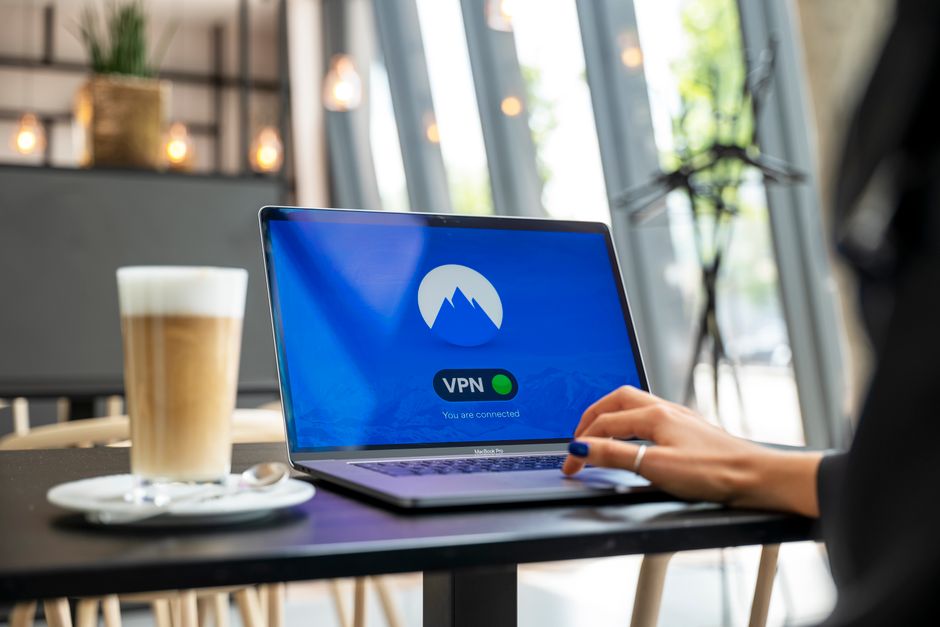
Choosing between a VPN and a password manager as your first privacy tool depends on your most immediate digital vulnerabilities. A VPN, or Virtual Private Network, encrypts your internet connection, making it private and secure, especially on public Wi-Fi—essential for travelers and remote workers. A password manager, conversely, secures your accounts by generating and storing unique, strong passwords, protecting you from credential theft. If your primary concern is securing your internet traffic from eavesdropping and location tracking, especially when abroad or using public networks, a VPN like a best VPN for privacy and travel is the priority. If securing individual accounts with uncrackable passwords is your main worry, start with a password manager. Ideally, you’ll use both.
Imagine you’re in a bustling café in Berlin, catching up on work, or perhaps planning your next family adventure from a hotel in Rome. You connect to the public Wi-Fi, eager to check emails or book tickets. It feels convenient, but are you truly secure? Or consider the sheer volume of accounts you maintain online – banking, social media, shopping, work portals. Each one requires a login, and the temptation to reuse a familiar password is high, despite knowing the risks.
These scenarios highlight a fundamental challenge in our increasingly connected lives: balancing convenience with solid digital protection. For many, the first step towards a more secure online existence involves evaluating two primary tools: a Virtual Private Network (VPN) and a password manager. Both are indispensable, yet they address different facets of online security. The question isn’t just ‘which one is better?’, but ‘which one addresses my most pressing vulnerabilities first?’, especially when navigating the complexities of travel and remote work across Europe, the US, or anywhere else.
Understanding What Each Tool Does
Before deciding which to prioritize, it’s crucial to grasp the distinct functions of a VPN and a password manager. Think of them as different layers of a security system, each protecting a different part of your digital life. A best VPN for privacy and travel focuses on your internet connection, while a password manager focuses on your individual account credentials.
What is a VPN and How Does It Protect You?
A VPN creates a secure, encrypted tunnel between your device and the internet. When you connect to a VPN server, your internet traffic is routed through this server, masking your real IP address and encrypting all data exchanged. This means your Internet Service Provider (ISP), hackers, and even governments cannot easily see what you’re doing online or where you’re connecting from. For someone using public Wi-Fi in a café in London or on a train from Paris to Madrid, a VPN is invaluable for preventing data interception.
The benefits of using a VPN extend beyond just security:
- Privacy: Your online activities remain private, free from monitoring by third parties.
- Security on Public Wi-Fi: Essential for protecting your data on unsecured networks common in airports, hotels, and cafes.
- Circumventing Geo-Restrictions: Access content and services that might be restricted in your geographical location, which is particularly useful for travelers wanting to stream content from home.
- Anonymity: Your IP address is hidden, making it harder to track your online footprint.
What is a Password Manager and How Does It Protect You?
A password manager is a secure vault for all your login credentials. Instead of remembering dozens of complex passwords, you only need to remember one master password to use the manager. Inside, it securely stores unique, strong, and often randomly generated passwords for every website and service you use. Many also offer multi-factor authentication integration and can auto-fill login forms securely.
The primary advantages of a password manager include:
- Strong, Unique Passwords: Eliminates the need to reuse passwords, a common vulnerability.
- Protection Against Phishing: Some managers can warn you if you’re on a fake site trying to steal your credentials.
- Convenience: No more forgetting passwords or struggling with resets.
- Security Audits: Many managers offer features to identify weak, reused, or compromised passwords.
Which Privacy Tool Should You Get First? Practical Advice
The decision of whether to get a VPN or a password manager first often comes down to your most immediate and significant risks. For the average user, especially those in regions like the US, UK, Germany, France, Italy, Spain, or Poland, a pragmatic approach is best.
Exploring the Features that Make NordVPN the Best VPN Service of 2025
1. Assess Your Exposure to Public Wi-Fi
If you regularly connect to public Wi-Fi networks in hotels, airports, cafes, or co-working spaces – a common scenario for travelers and remote workers – a VPN should be your first line of defense. These networks are often unsecured and are prime hunting grounds for malicious actors looking to intercept data. A best VPN for privacy and travel encrypts your connection, making it virtually unreadable to snoopers.
2. Consider Your Password Habits
Be honest with yourself: do you reuse passwords? Are they simple or easy to guess? If you’re guilty of using ‘password123’ or the same login for multiple accounts, then a password manager is an urgent priority. One compromised password can lead to a cascade of breaches across all your accounts. Securing your individual accounts against brute force attacks or data breaches is critical.
3. Think About Your Streaming and Geo-Restrictions Needs
For those who travel frequently and wish to access their usual streaming services or regional content, a VPN is indispensable. If watching a specific football match while in another country or accessing your home country’s news sites is important, then a VPN offers that flexibility by allowing you to appear as if you’re browsing from a different location.
4. Remote Work Security
Many companies in the US, UK, and across Europe now require employees to use a VPN for remote access to company networks. If you’re a remote worker, especially one dealing with sensitive company data, a VPN is often a mandatory security measure, or at least a highly recommended one, to protect data in transit from your home or a remote location.
5. The Importance of Data Privacy
For those deeply concerned about their overall online privacy – preventing ISPs from logging their browsing history, avoiding targeted advertising based on their IP location, or simply maintaining a higher degree of anonymity online – a VPN offers significant benefits. It helps prevent your digital footprint from being easily traced.
6. Ease of Setup and Cost
Both tools are relatively easy to set up. Many reputable VPN providers offer user-friendly apps for all major devices, and most password managers have intuitive browser extensions and mobile apps. Pricing varies, with many offering free tiers or trials. Consider what fits your budget and technical comfort level. A premium, reliable VPN security solution is an investment.
Comparison: VPN vs. Password Manager
To help you visualize the core differences and overlap, here’s a quick comparison:
| Feature | VPN | Password Manager |
|---|---|---|
| Primary Function | Encrypts internet connection, masks IP, secures public Wi-Fi. | Generates, stores, and manages strong, unique passwords for accounts. |
| Main Threat Addressed | Eavesdropping, data interception, location tracking, censorship. | Weak/reused passwords, credential theft, brute-force attacks. |
| Key Benefit for Travelers | Secure browsing on public Wi-Fi, access geo-restricted content. | Secure logins for booking sites, banking, social media. |
| Impact on Privacy | Hides online activities from ISPs and third parties. | Protects individual account access. |
| Required for Remote Work? | Often required for secure company network access. | Crucial for protecting work-related accounts and data. |
| Cost Range (approx.) | Typically €3-€10/month for premium services. | Many free options, premium €2-€5/month. |
Common Mistakes to Avoid When Choosing Privacy Tools
Selecting and implementing digital privacy tools can be straightforward, but there are pitfalls to sidestep. Avoiding these common mistakes will ensure you get the most effective protection.
Securing Your Internet Preferences: The Benefits of Using Official-ExpressVPN
A frequent error is assuming that a free VPN offers the same level of security and privacy as a paid one. Free VPNs often come with hidden costs, such as data logging, limited speed, intrusive ads, or even selling your browsing data to third parties. For critical tasks like remote work or banking while traveling, especially in a privacy-sensitive country like Germany, investing in a reputable, paid best VPN for privacy and travel service is paramount. Always check their no-logs policy and audit reports.
Another mistake is using a password manager to store sensitive information that isn’t login credentials, such as private notes or credit card numbers, without strong encryption. While many password managers do offer secure notes features, ensure you understand the encryption methods used. For truly sensitive documents, a dedicated encrypted drive or cloud storage with zero-knowledge encryption might be more appropriate.
Forgetting to enable multi-factor authentication (MFA) on your password manager itself, or on critical accounts even if managed by the tool, is a significant oversight. MFA adds an extra layer of security, typically a code from your phone, making it much harder for unauthorized individuals to access your accounts even if they somehow obtain your master password. This is a critical step for securing your digital identity, whether you’re in the US or Italy.
Finally, neglecting regular updates for both your VPN client and password manager software can leave you vulnerable. Software updates often contain crucial security patches that address newly discovered vulnerabilities. Running outdated software is like leaving your front door unlocked. Make it a habit to check for and install updates promptly.
FAQ: Answering Your Top Privacy Tool Questions
How do I choose and set up a safe VPN?
To choose a safe VPN, prioritize providers with a strict no-logs policy, strong encryption (like AES-256), a wide server network in locations like the US and Europe, and positive independent audits. Look for features like a kill switch and DNS leak protection. For setup, download the VPN app from the official website, install it, log in, and choose a server location to connect. Most reputable VPNs, including a best VPN for privacy and travel, offer intuitive interfaces.
Can a VPN protect me from malware?
While a VPN encrypts your internet traffic and masks your IP address, it is not primarily designed to protect you from malware or viruses. It secures your connection, preventing eavesdropping and data interception, but it won’t stop you from accidentally downloading a malicious file or visiting a dangerous website. For comprehensive protection, always use a solid antivirus program alongside your VPN.
Is a password manager truly more secure than remembering passwords?
Yes, a password manager is significantly more secure than trying to remember passwords. It generates long, complex, and unique passwords for each of your accounts, which are virtually impossible for humans to recall. Storing these in an encrypted vault, accessible only with one strong master password, drastically reduces your risk compared to reusing simple passwords across multiple sites.
Are there legal restrictions on VPN use in certain countries?
While VPNs are legal in most countries, including the US, UK, Germany, France, Italy, Spain, and Poland, some nations have restrictions or outright bans. Countries like China and Russia impose strict regulations on VPN usage, often requiring government approval or blocking unapproved services. Before traveling to a specific region, always research its local laws regarding VPNs to ensure compliance.
What is the benefit of a VPN for streaming content?
A VPN allows you to bypass geo-restrictions, enabling access to streaming content that might be unavailable in your current geographical location. For instance, if you’re in Germany and want to watch a show exclusive to a US streaming service, connecting to a US VPN server makes it appear as if you’re browsing from the US, granting you access. This is a key feature of a best VPN for privacy and travel.
Can a password manager help with two-factor authentication (2FA)?
Many modern password managers integrate smoothly with two-factor authentication (2FA) or multi-factor authentication (MFA). Some can generate 2FA codes themselves (acting as an authenticator app), while others securely store your 2FA backup codes. This integration streamlines the login process while maintaining the added security layer of 2FA, making your accounts much harder to compromise.
Making Your Choice: A Combined Approach for Ultimate Security
Ultimately, for comprehensive digital privacy and security, especially for those who travel frequently or work remotely, using both a best VPN for privacy and travel and a reliable password manager is the ideal solution. If you must choose one first, prioritize based on your most immediate risk: a VPN if public Wi-Fi and online tracking are your main concerns, or a password manager if weak and reused passwords are your Achilles’ heel. No matter where you are – from a bustling market in Poland to a quiet corner in the French countryside – securing your digital life is an ongoing process. Equip yourself with the right tools to navigate the online world with confidence. Explore more VPN guides on GoTrendlin to deepen your understanding and enhance your digital defenses.