


Choosing and setting up a safe VPN involves selecting a reputable provider known for strong encryption, no-log policies, and a wide server network. Prioritize VPNs with WireGuard or OpenVPN protocols for a balance of speed and security. After downloading the client, simply choose a server location – ideally one geographically close to you or your target content – and connect. For optimal safety, always enable the kill switch feature to prevent data leaks if the VPN connection drops. This ensures your online activities, especially on public Wi-Fi, remain private and protected, critical for travelers and remote workers seeking the best VPN for privacy and travel.
You’ve just settled in for a video call with family back home or are about to stream the latest episode of your favorite show while abroad, only to be met with buffering, pixelated video, or dropped connections. It’s frustrating, especially when you’re relying on a VPN for security or access. Many users connect to a VPN expecting seamless protection, but then experience a significant dip in internet speed. This slowdown can turn routine online tasks into a test of patience, impacting everything from important remote work meetings to casual browsing.
Understanding why your VPN might be slowing down your connection isn’t just about technical jargon; it’s about making informed choices to ensure your digital life remains productive and enjoyable. Whether you’re a digital nomad hopping between cafés in Berlin, a family on holiday in Spain trying to access local content, or simply someone in the UK prioritizing online privacy, a slow VPN can disrupt your plans. It’s particularly critical when using public Wi-Fi networks in places like train stations in Paris or airport lounges in New York, where VPN security is paramount but speed often takes a hit.
The good news is that not all VPNs are created equal when it comes to speed, and often, what feels like a fundamental limitation is actually something you can mitigate. Identifying the factors at play allows you to optimize your setup, ensuring you get the most out of your internet connection while still benefiting from solid VPN security. Let’s demystify VPN speed, helping you find the best VPN for privacy and travel that won’t leave you staring at a loading icon.
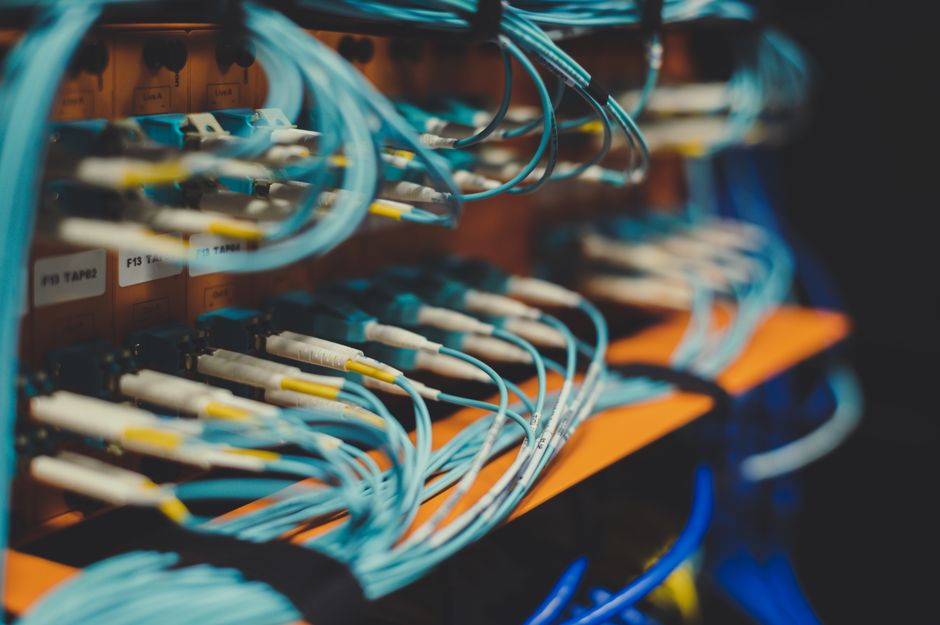
Quick Overview: What Impacts VPN Speed?
- Server Distance: The farther the VPN server, the longer data travels, increasing latency.
- Server Load: Overloaded servers with too many users can slow down connections significantly.
- Encryption Strength: Stronger encryption offers better security but requires more processing power, potentially reducing speed.
- VPN Protocol: Different protocols (e.g., WireGuard, OpenVPN, IKEv2) offer varying balances of speed and security.
- Your Original Internet Speed: A VPN can’t make your internet faster than your ISP provides.
- Device Processing Power: Older or less powerful devices may struggle with encryption/decryption overhead.
- ISP Throttling: Some Internet Service Providers might deliberately slow down VPN traffic.
- Firewall/Router Settings: Local network configurations can sometimes interfere with VPN performance.
Deep Dive: Factors Shaping Your VPN’s Performance
When you connect to a VPN, your internet traffic takes a detour through the VPN provider’s server. This additional step inherently adds some latency. However, the degree of this slowdown is highly variable and depends on several key components. Understanding these can help you troubleshoot issues and select a VPN service that truly meets your needs for streaming, video calls, and general browsing, especially when you need the best VPN for privacy and travel.
Server Location and Proximity
One of the most immediate impacts on VPN speed is the physical distance between you and the VPN server you connect to. Imagine sending a letter: it arrives much faster if you mail it to a neighbor than across the continent. The same principle applies to data packets.
- Geographic Distance: If you’re in Rome and connect to a VPN server in London, your data travels a significant distance. This increases latency, measured in milliseconds, and can noticeably slow down your connection. For latency-sensitive activities like online gaming or video calls, a lower ping is crucial.
- Choosing Wisely: For general browsing and maintaining speed, always aim for a server geographically close to your actual location. If you’re looking to access content from a specific region, say a TV show only available in Germany, you’ll need to connect to a German server, accepting the potential speed trade-off. However, reputable VPNs often have optimized servers in key locations like Frankfurt, making this compromise less impactful.
VPN Protocols and Encryption Levels
The VPN protocol dictates how your data is encapsulated and secured. Different protocols offer varying balances of speed and security, while encryption is the lock on your data’s container.
How a VPN Helps Protect Your Data on Hotel and Airport Wi-Fi
- WireGuard: This newer protocol is renowned for its speed and efficiency, often outperforming older options while still providing strong security. It’s an excellent choice for streaming and video calls.
- OpenVPN: A highly respected, open-source protocol known for its solid security. While very secure, it can be slower than WireGuard due to its more complex encryption processes. Many providers offer UDP (faster) and TCP (more reliable, but slower) options for OpenVPN.
- IKEv2/IPsec: Often used on mobile devices due to its stability and ability to smoothly switch networks without dropping the VPN connection. It’s generally fast and secure.
- Strong Encryption (e.g., AES-256): While crucial for privacy, especially on public Wi-Fi in places like train stations in Warsaw or airports in Madrid, it requires more computational power to encrypt and decrypt data. This overhead can slightly reduce speed, though for modern devices, the impact is often negligible.
Server Load and Infrastructure
Even if you choose a nearby server, its performance can be hampered by how many other users are connected to it and the quality of the VPN provider’s hardware.
- User Density: A server with thousands of users simultaneously connected will inevitably be slower than one with fewer users, as its bandwidth and processing power are shared. Premium VPNs invest in more servers and higher-capacity infrastructure to mitigate this.
- Bandwidth and Hardware: A VPN provider’s investment in high-speed, well-maintained servers with ample bandwidth makes a significant difference. Providers with servers capable of 10 Gbps connections will offer much better performance than those with older, slower hardware. When you’re seeking the best VPN for privacy and travel, consider providers with a large, diverse server network.

Your Base Internet Speed and Device Capability
A VPN cannot magically increase your underlying internet speed. If your internet service provider (ISP) delivers 50 Mbps, a VPN won’t make it 100 Mbps.
- ISP Limitations: The VPN’s speed will always be capped by your original connection speed. If your home internet in New York is slow, your VPN connection will also be slow.
- Device Performance: Your device, whether it’s a smartphone in France or a laptop in London, needs to encrypt and decrypt the VPN traffic. Older or less powerful CPUs might struggle with this, leading to slower speeds. Ensure your device’s operating system and VPN client are updated for optimal performance.
- Public Wi-Fi Woes: Public Wi-Fi, common in places like cafés in Milan or hotel lobbies in Berlin, is often inherently slow and unstable due to shared bandwidth and congestion. A VPN adds a layer of security but can’t fix the underlying slowness of the public network itself.
ISP Throttling and Network Congestion
Sometimes, the slowdown isn’t entirely on the VPN’s side. Your own ISP might be a contributing factor.
- ISP Throttling: Some ISPs might intentionally slow down certain types of traffic, including VPN traffic, especially if they detect heavy streaming or torrenting. A good VPN can sometimes help bypass this throttling by encrypting your traffic, making it harder for the ISP to identify and slow down.
- Local Network Congestion: During peak hours, your local internet infrastructure might experience congestion, leading to slower speeds for everyone. This is particularly noticeable in densely populated areas of major cities.
How Do I Choose and Set Up a Safe VPN?
Choosing and setting up a safe VPN is crucial for protecting your digital footprint, especially for travelers, remote workers, and anyone concerned about privacy on public Wi-Fi. Look for a VPN provider that boasts a strict no-logs policy, meaning they don’t record your online activities. Strong encryption standards (like AES-256) and modern protocols (WireGuard, OpenVPN) are non-negotiable for security. A reliable kill switch is also essential; it automatically disconnects your internet if the VPN connection drops, preventing accidental data leaks. Check for a wide server network to ensure you have plenty of fast, nearby options, whether you’re in the US, UK, Germany, or elsewhere. Reputable brands often have audited security practices, providing an extra layer of trust.
Setting up is typically straightforward: download the VPN client for your device, install it, and log in with your credentials. Most VPNs offer intuitive apps across various platforms, including Windows, macOS, Android, and iOS. After logging in, simply select a server location from the list. For maximum speed, choose a server physically close to you. If you’re trying to access geo-restricted content, pick a server in the relevant country. Always ensure the kill switch is enabled in the settings. With these steps, you establish a secure, private connection, helping you find the best VPN for privacy and travel without compromising speed.
FAQ
Here are some frequently asked questions about VPN speed and how it impacts your online activities:
Does a VPN always slow down internet speed?
Yes, a VPN will almost always introduce some level of speed reduction due to the encryption process and the rerouting of your internet traffic through a remote server. However, a high-quality VPN with optimized servers and modern protocols like WireGuard will minimize this slowdown to a point where it’s often barely noticeable for most users, particularly for streaming and video calls.
How to Set Up a VPN on Your Laptop and Phone for Privacy and Travel
Can a VPN improve my internet speed?
While a VPN doesn’t inherently make your internet faster than your ISP provides, it can sometimes improve perceived speed or consistency. If your ISP is deliberately throttling your connection based on your activities (e.g., streaming, gaming), a VPN can encrypt your traffic, making it unidentifiable to the ISP and potentially bypassing the throttling. This can result in a more stable and faster connection in such specific scenarios.
Which VPN protocol is best for speed?
For raw speed, WireGuard is generally considered the fastest VPN protocol currently available, offering excellent performance for demanding tasks like 4K streaming and video conferencing. IKEv2/IPsec also provides a good balance of speed and stability, especially for mobile users. OpenVPN (UDP) is a secure and widely supported option that offers decent speeds, though often slightly slower than WireGuard.
How important is server count for VPN speed?
Server count is highly important for VPN speed and reliability. A larger number of servers means less user congestion on individual servers, ensuring better performance. It also provides more options for connecting to a geographically closer server, reducing latency, and allows for easier access to content from various regions. A diverse server network is a hallmark of the best VPN for privacy and travel.
Can my router affect VPN speed?
Yes, your router can definitely affect VPN speed. Older or low-spec routers might struggle to handle the encryption and decryption overhead of VPN traffic, leading to slower speeds. Ensure your router has up-to-date firmware and sufficient processing power. Some advanced routers can even run a VPN client directly, protecting all devices on your network, but this also requires a powerful router to maintain speeds.
Is it worth using a VPN for streaming despite potential speed reductions?
Yes, for many, using a VPN for streaming is absolutely worth it, despite potential speed reductions. A VPN allows you to bypass geo-restrictions, accessing content libraries from other countries (e.g., watching US Netflix from Germany or UK iPlayer from Italy). It also enhances your privacy and security, especially when streaming on public Wi-Fi. With a high-speed VPN, the impact on streaming quality is often minimal.
Key Takeaways for Optimal VPN Performance
Navigating the world of VPNs doesn’t have to mean sacrificing speed for security. Understanding the core factors that influence your connection will empower you to make smarter choices. Remember that while a VPN inherently adds a step to your data’s journey, the right provider and configuration can minimize speed impacts, making it a viable solution for even the most demanding online activities like HD streaming and critical video calls.
For travelers, remote workers, and privacy-conscious users across the US, UK, Germany, France, Italy, Spain, and Poland, choosing the best VPN for privacy and travel involves looking beyond marketing claims. Prioritize providers with a proven track record of fast speeds, a wide array of servers, and modern protocols like WireGuard. Always connect to the closest server when possible, and ensure your device is up to the task of handling encryption.
Ultimately, a good VPN offers a critical balance: strong VPN security without an unbearable compromise on speed. By applying these insights, you can enjoy secure, private, and smooth online experiences, no matter where you are in the world. To explore more guides and tips on VPNs and online security, explore more VPN guides on GoTrendlin.