

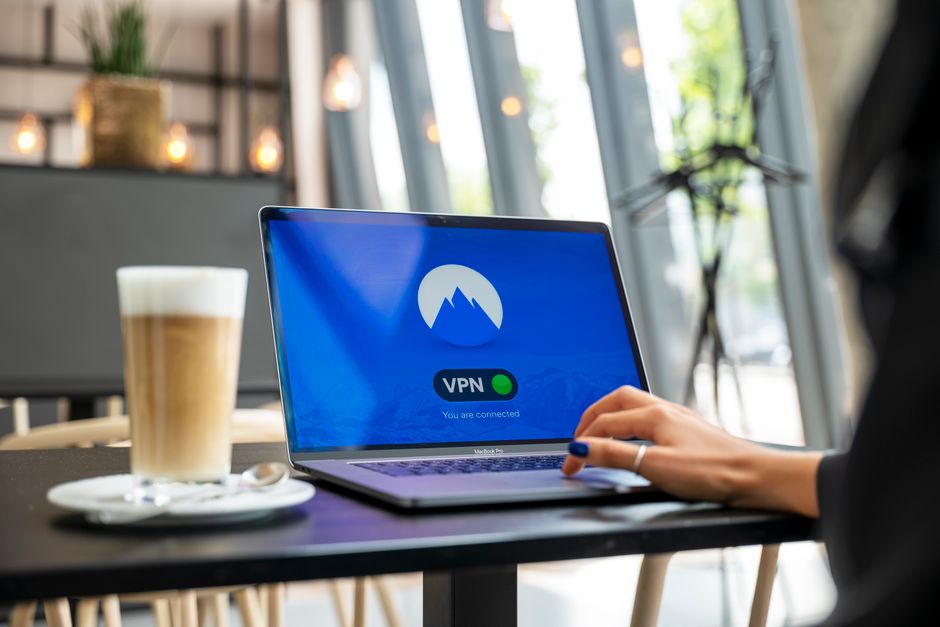
To choose and set up a safe VPN, prioritize providers with strong encryption (AES-256), a strict no-logs policy audited by third parties, and a wide network of servers globally. Look for features like a kill switch, DNS leak protection, and support for modern protocols like WireGuard or OpenVPN. Once chosen, download the provider’s app, install it on your devices, select a server location that meets your needs (e.g., your home country for streaming, a nearby country for speed), and connect. Always verify the VPN is active before accessing sensitive data on public Wi-Fi.
Whether you’re sipping espresso in a Parisian cafe, working remotely from a bustling London co-working space, or simply trying to catch your favorite show while on holiday in Spain, your online security and access to content are often at risk. Public Wi-Fi networks, while convenient, are rarely secure. Geo-restrictions can block access to the streaming services you pay for back home. This is where a reliable VPN becomes indispensable.
Choosing the best VPN for privacy and travel, one that effectively safeguards your data on public Wi-Fi and allows uninterrupted streaming, isn’t always straightforward. The market is full of options, each promising top-tier security and blazing speeds. This guide will help you understand what truly matters in a VPN, cutting through the marketing jargon to give you practical advice for your specific needs.
We’ll look at the critical features, discuss potential pitfalls, and provide a clear roadmap to selecting a VPN that serves you well, whether you’re a casual traveler, a digital nomad, or someone simply looking for better online privacy at home and abroad.

Understanding Your Needs: Why a VPN for Travel, Public Wi-Fi, and Streaming?
Before diving into specific features, it’s essential to define why you need a VPN. Your priorities will shape your choice. Are you primarily concerned with staying anonymous, or is accessing region-locked content your main goal? Perhaps it’s a bit of both.
Securing Your Data on Public Wi-Fi Networks
Public Wi-Fi, found in airports, hotels, cafes, and train stations from New York to Frankfurt, is notoriously insecure. These networks are often open, meaning anyone else on the same network can potentially snoop on your activity. This vulnerability makes them a prime target for hackers looking to steal personal information, login credentials, or financial details. A VPN encrypts your internet connection, creating a secure tunnel for your data. Even if someone intercepts your traffic, they’ll only see scrambled, unreadable data. This is crucial for remote workers accessing sensitive company information and anyone logging into bank accounts or making online purchases while away from home.
Overcoming Geo-Restrictions for Streaming and Content Access
Streaming services like Netflix, Disney+, and BBC iPlayer offer different content libraries based on your geographical location. If you’re traveling from the US to Germany, for example, you might find that your usual Netflix shows are unavailable. Similarly, if you live in Poland and want to watch a specific show only licensed for the UK, you’ll hit a wall. A VPN allows you to virtually change your location by connecting to a server in a different country. For example, connecting to a server in the UK will make it appear as though you’re browsing from the UK, granting you access to UK-specific content. This is a primary reason many travelers choose a VPN for travel, public Wi-Fi, and streaming.
Maintaining Privacy and Anonymity Online
Beyond specific threats, a VPN generally enhances your online privacy. Your Internet Service Provider (ISP) can see your online activity. Governments in some regions, like parts of the EU, also mandate data retention. A VPN encrypts your traffic and masks your IP address, making it much harder for anyone—your ISP, advertisers, or even government agencies—to track your online movements and identify you personally. This is particularly important for privacy-conscious users, regardless of whether they are traveling.
Key Features to Consider When Choosing a VPN
When you’re trying to choose the best VPN for privacy and travel, several technical and practical features should be at the top of your checklist.
Strong Encryption and Security Protocols
The core function of any VPN is to encrypt your data. Look for providers that use AES-256 encryption, which is the industry standard and considered virtually unbreakable. In terms of protocols, OpenVPN and WireGuard are currently the most highly recommended. OpenVPN is solid and well-vetted, while WireGuard offers faster speeds with comparable security, making it excellent for streaming and general browsing. Avoid outdated protocols like PPTP.
VPN Speed Explained: What Affects Streaming and Video Calls
No-Logs Policy and Independent Audits
A VPN’s privacy policy is paramount. A strict no-logs policy means the provider doesn’t track, collect, or store any information about your online activities. This is crucial for maintaining your anonymity. Verifying these claims can be tricky, which is why independent third-party audits are so important. These audits review a VPN’s infrastructure and policies to ensure they align with their no-logs claims. Some reputable VPNs have undergone such audits and publicly share the results.
Server Network and Global Coverage
The more servers a VPN has, and the wider their geographical distribution, the better. A large network means less server congestion, leading to faster speeds. More importantly for travelers, it means you’ll likely find a server in the country you need to access specific content (e.g., a US server for American Netflix, or a French server for local news). For those traveling across Europe, having servers in countries like Germany, France, Italy, and Poland is particularly beneficial.
Speed and Performance
A VPN inevitably adds a small overhead that can reduce your internet speed. However, a good VPN will minimize this impact. Speeds are crucial for smooth streaming, fast downloads, and lag-free video calls, especially important for remote work. Test different VPNs during their trial periods (if available) to see how they perform on your typical internet connection. Pay attention to both download and upload speeds.

Device Compatibility and Simultaneous Connections
Consider all the devices you’ll use a VPN on: your laptop, smartphone (iOS or Android), tablet, and perhaps even a smart TV or router. Ensure the VPN offers dedicated apps for all your devices and allows a sufficient number of simultaneous connections. Many premium VPNs allow 5-10 simultaneous connections, which is often enough for an individual or small family.
Essential VPN Features for Travelers and Streamers
- Kill Switch: This feature automatically disconnects your internet if the VPN connection drops, preventing your real IP address or data from being exposed. This is vital on public Wi-Fi.
- DNS Leak Protection: Ensures your DNS requests are routed through the VPN, preventing your ISP from seeing which websites you visit.
- Split Tunneling: Allows you to choose which apps or websites use the VPN and which bypass it. Useful for accessing local network devices while maintaining VPN protection for web browsing.
- Ad Blocker/Malware Protection: Some VPNs include these features, adding an extra layer of security and improving browsing experience.
Setting Up and Using Your Chosen VPN Safely
Once you’ve decided on the best VPN for privacy and travel, setting it up is usually straightforward, but a few practices ensure you’re using it safely.
Installation and Configuration
Most reputable VPNs offer user-friendly applications for various operating systems (Windows, macOS, Android, iOS). Download the app directly from the provider’s official website or your device’s app store. After installation, log in with your credentials. For optimal security, ensure the kill switch and DNS leak protection features are enabled in the settings.
Choosing the Right Server
For privacy and security, connecting to a server geographically close to you usually provides the best speeds. If you’re targeting specific geo-restricted content, select a server in the country where that content is available (e.g., a US server for US Netflix). If you’re traveling in a country with strict internet censorship, you might need to try different servers or specific ‘obfuscated’ servers offered by some VPNs designed to bypass deep packet inspection.
Best Practices for Safe VPN Use
- Always Connect on Public Wi-Fi: Make it a habit to activate your VPN before doing anything on a public network.
- Verify Connection: After connecting, use an online tool to check your IP address and ensure it matches the VPN server’s location, not your real one.
- Keep Software Updated: Regularly update your VPN app to benefit from the latest security patches and features.
- Be Mindful of Free VPNs: While tempting, free VPNs often come with significant trade-offs, including weaker encryption, data logging, slower speeds, and even malware. For serious privacy and streaming, a paid, reputable VPN is almost always the better choice.
Regional Considerations: Europe, US, and Beyond
While the core principles of VPN selection remain universal, specific regional factors can influence your choice.
Data Retention Laws and Privacy Jurisdictions
Countries like Germany, France, and other EU nations operate under GDPR, which provides strong data protection rights. However, some EU countries also have data retention laws that can impact ISPs. Choosing a VPN based in a privacy-friendly jurisdiction (e.g., the British Virgin Islands, Panama, or Switzerland) outside of major surveillance alliances (like the Five Eyes, Nine Eyes, or Fourteen Eyes) can add an extra layer of peace of mind, as these countries generally have no mandatory data retention laws for VPN providers.
How to Set Up a VPN on Your Laptop and Phone for Privacy and Travel
Internet Censorship and Restrictions
While Western Europe and the US generally have open internet access, some countries, especially outside these regions, impose significant internet censorship. If you plan to travel to such areas, ensure your chosen VPN offers features like obfuscated servers or the ability to bypass firewalls, which can help make your VPN traffic look like regular internet traffic and avoid detection.
Payment Methods and Local Currency
When subscribing, consider VPNs that offer a variety of payment options, including anonymous ones like cryptocurrency, if privacy is your utmost concern. While most major VPNs support international credit cards, some may offer local payment methods or pricing in local currencies for target markets like Europe.
Frequently Asked Questions About Choosing a VPN
Can I use a single VPN subscription for all my devices?
Yes, most premium VPN providers allow you to connect multiple devices simultaneously with a single subscription. The number of allowed connections varies by provider, typically ranging from 5 to 10. This is usually sufficient for an individual or a small family to protect their laptops, smartphones, and tablets while traveling.
Will a VPN slow down my internet connection significantly?
A VPN will always introduce a slight speed reduction due to encryption and the routing of traffic through an additional server. However, reputable VPNs with optimized networks and modern protocols like WireGuard minimize this impact. For most users, the speed reduction will be negligible for browsing and streaming, especially if you connect to nearby servers.
Are free VPNs a safe option for travel and public Wi-Fi?
Generally, no. Free VPNs often come with significant drawbacks, including weaker security, data logging (which defeats the purpose of privacy), slower speeds, limited server options, and sometimes even bundled malware. They need to monetize their service somehow, often through ads or by selling user data. For reliable security and privacy, especially on public Wi-Fi, a paid VPN is highly recommended.
What should I do if my VPN stops working with a streaming service?
Streaming services actively try to block VPN connections. If your VPN stops working, try switching to a different server within the same country. Many VPNs offer specialized streaming servers or obfuscated servers designed to bypass these blocks. If issues persist, contact your VPN provider’s support, as they can often guide you to the best server for a specific service.
How do I know if my VPN is actually protecting my privacy?
To verify your VPN’s protection, check your IP address and DNS server before and after connecting to the VPN using online tools like ipleak.net or dnsleaktest.com. Your IP address should change to that of the VPN server, and your DNS servers should also reflect the VPN’s location or be managed by the VPN. Also, ensure your chosen VPN has a strong no-logs policy and has undergone independent security audits.
Is it legal to use a VPN for streaming geo-restricted content?
Using a VPN is legal in most countries, including the US, UK, Germany, France, and others. However, using a VPN to bypass geo-restrictions on streaming services might violate the service’s terms of service, which could lead to account suspension. While this is rare, it’s a possibility. It generally doesn’t constitute a criminal offense.
Conclusion
Choosing the best VPN for privacy and travel means finding a service that balances solid security, reliable performance for streaming, and extensive global server coverage. Prioritize strong encryption, a verified no-logs policy, and essential features like a kill switch. Whether you’re navigating public Wi-Fi in Rome, working remotely from a bustling cafe in Berlin, or simply want to access your favorite shows back home in the UK, a well-chosen VPN is an indispensable tool for modern online life. Don’t compromise on your digital security or your entertainment while on the go.
To explore more comprehensive guides and find the right VPN for your specific needs, explore more VPN guides on GoTrendlin.