
Technology and digital tools solve common everyday problems by streamlining communication, automating tasks, and providing access to vast information. However, this convenience introduces cybersecurity risks. Simple cybersecurity habits for families and freelancers involve implementing strong, unique passwords, enabling multi-factor authentication, regularly updating software, and understanding phishing tactics. These foundational practices protect personal data, financial information, and digital identities across various devices and platforms, from personal laptops to smart home systems and cloud-based AI productivity tools. Prioritizing these habits safeguards privacy and prevents disruptions to daily life and work.
In recent years, the digital fabric of our lives has become incredibly intricate. For many families, this means juggling schoolwork on tablets, managing smart home climate controls, and streaming entertainment. Freelancers, on the other hand, often handle client data, financial transactions, and communication across multiple platforms, blurring the lines between personal and professional digital spaces. This pervasive use of technology and digital tools brings immense convenience but also demands a focused approach to security.
It’s easy to feel overwhelmed by the constant stream of news about data breaches and new cyber threats. However, effective cybersecurity isn’t about becoming a tech guru. It’s about cultivating a few consistent, practical routines. Think of it less as a complex system to master and more as a series of simple cybersecurity habits for families and freelancers that become second nature, like locking your front door or brushing your teeth.
Understanding and implementing these habits can make a significant difference in protecting your privacy, finances, and peace of mind, whether you’re in Berlin, Birmingham, Boston, or Barcelona. The digital world is truly global, and so are its risks.
The Digital Landscape: Why Security Matters More Than Ever
The acceleration of digital adoption across Europe and North America has been remarkable. From smart meters in French homes to remote workers collaborating across time zones in the US and Germany, our reliance on connected devices and online services is undeniable. This environment, while fostering incredible innovation and productivity, also presents a wider attack surface for malicious actors.
Consider the average family in Italy or Spain. They likely have multiple smartphones, a smart TV, maybe a smart thermostat, and children using laptops for school. Each device is a potential entry point. For a freelancer in Poland or the UK, sensitive client information stored in cloud services or communicated via AI productivity tools could be invaluable to a cybercriminal. A data breach doesn’t just mean inconvenience; it can lead to financial loss, identity theft, and reputational damage. Privacy is not a luxury; it’s a fundamental right that demands proactive protection.
Essential Simple Cybersecurity Habits for Families and Freelancers
Cultivating a strong digital defense starts with these straightforward, yet powerful, practices. These are the core simple cybersecurity habits for families and freelancers that you can implement today.
1. Strong, Unique Passwords & Multi-Factor Authentication (MFA)
This is the bedrock of online security. A common mistake is reusing the same password across multiple accounts. If one service is breached, all your accounts become vulnerable. Instead, use a password manager (like 1Password, LastPass, or Bitwarden) to generate and store complex, unique passwords for every service. These tools are invaluable for both individuals and small teams. Crucially, enable Multi-Factor Authentication (MFA) wherever possible. This adds an extra layer of security, typically a code sent to your phone or generated by an authenticator app, making it significantly harder for unauthorized users to access your accounts even if they have your password. Many banks in the EU, for instance, already mandate strong authentication for online transactions.
2. Regular Software Updates
Software developers constantly release updates, not just for new features, but critically, to patch security vulnerabilities. Operating systems (Windows, macOS, Android, iOS), web browsers (Chrome, Firefox, Edge), and all your applications need to be kept current. Enable automatic updates where safe and practical, especially for critical systems. This applies to smart home devices as well; check for firmware updates regularly. Ignoring these updates leaves known security holes open for exploitation.
3. Phishing Awareness Training
Phishing attacks remain one of the most common and effective ways cybercriminals gain access. These are deceptive emails, texts, or calls designed to trick you into revealing sensitive information. Always be suspicious of unsolicited messages asking for personal details, promising too-good-to-be-true offers, or threatening urgent action. Look for poor grammar, unusual sender addresses, and generic greetings. Never click on suspicious links or download attachments from unknown sources. Educate your family members, especially children and older adults, about these red flags.
4. Secure Wi-Fi Networks
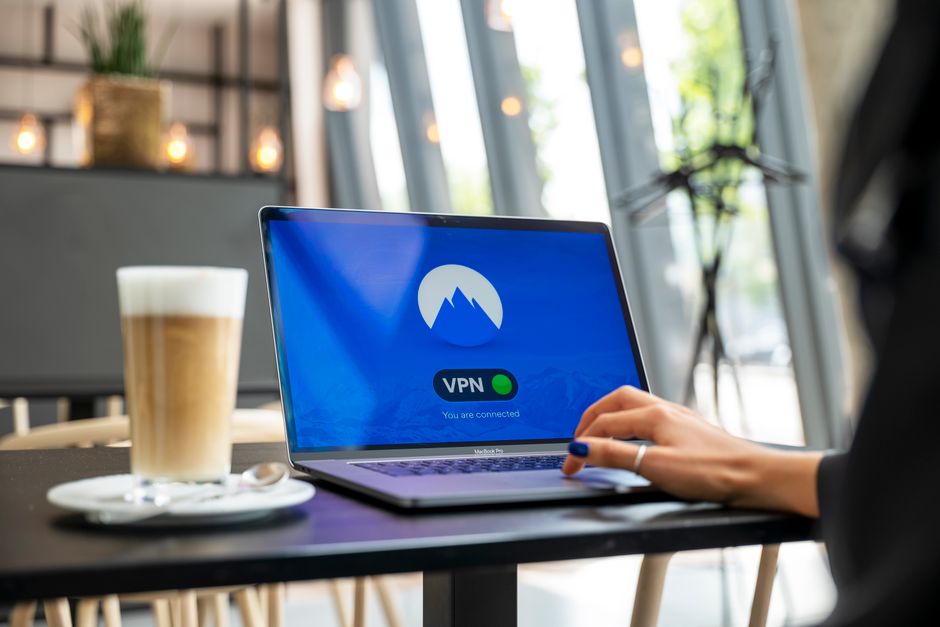
Your home Wi-Fi is the gateway to your digital world. Ensure it’s secured with a strong, unique password and WPA2 or WPA3 encryption. Change the default router password immediately. For freelancers working remotely or families traveling, avoid using unsecured public Wi-Fi networks for sensitive activities like online banking or submitting confidential documents. If you must use public Wi-Fi, consider a Virtual Private Network (VPN) for an encrypted connection. Services like NordVPN or ExpressVPN are popular choices globally.
5. Data Backup Strategy
Ransomware attacks, hardware failures, or accidental deletions can lead to significant data loss. Regularly back up your important files. For families, this might mean backing up photos and essential documents to an external hard drive or a reputable cloud service (like Google Drive, Dropbox, or OneDrive). Freelancers should implement a solid backup strategy for client projects, financial records, and critical business data, often involving both local and cloud backups. This safeguards your work and memories from unforeseen circumstances.
6. Prudent Use of AI Productivity Tools
AI tools, from ChatGPT to advanced analytics platforms, offer incredible boosts to productivity. However, be mindful of the data you input. Understand the privacy policies of these tools. Avoid feeding sensitive personal or client information into public AI models unless you are absolutely certain of their data handling and retention policies. For freelancers, ensure client contracts account for the use of AI and data privacy. Some organizations, particularly those dealing with EU GDPR compliance, are highly cautious about what data can be processed by external AI services.
7. Smart Home Device Security
The convenience of smart home devices (cameras, doorbells, virtual assistants) comes with a security caveat. Change default passwords immediately. Research the privacy settings of each device and configure them to your comfort level. Disable features you don’t use. Regularly check for firmware updates, as these devices are increasingly targeted by cybercriminals. Consider segmenting your smart home devices onto a separate network if your router supports it, isolating them from your primary computers and sensitive data.
8. Understand Privacy Settings
Many online services, social media platforms, and even your operating system have extensive privacy settings. Take the time to review them. Limit the amount of personal information you share publicly. Control who can see your posts, photos, and contact information. For families, this is crucial for protecting children’s privacy online. For freelancers, it’s about managing your professional brand and ensuring client confidentiality.
Comparing Cybersecurity Solutions for Different Needs
While the habits above are universal, the specific technology and digital tools you choose can vary. Here’s a brief comparison of how different solutions might fit families versus freelancers, especially across diverse regions like the US and Europe:
| Feature/Tool | For Families | For Freelancers/Small Teams |
|---|---|---|
| Password Managers | Shared family vaults (e.g., 1Password Family) for common accounts. | Individual vaults with secure sharing for client accounts, solid team features. |
| Antivirus/Endpoint Protection | User-friendly suites (e.g., Norton, Avast, Kaspersky) with parental controls. | Business-grade solutions (e.g., Bitdefender GravityZone, CrowdStrike) for advanced threat detection and compliance (e.g., GDPR). |
| Backup Solutions | Cloud sync (Google Photos, Apple iCloud) for personal media, external drives for documents. | Redundant cloud backups (AWS S3, Azure Backup) for critical projects, local NAS for quick recovery. |
| VPN Services | General privacy while browsing, accessing geo-restricted content. | Securing remote work connections, protecting sensitive communications, maintaining client privacy, especially when traveling in countries with restrictive internet policies. |
| AI Productivity Tools | Educational assistance, basic content generation, homework help. | Advanced data analysis, content creation, code generation; requires strict data input governance. |
Common Cybersecurity Mistakes to Avoid
Even with good intentions, some missteps are common. Recognizing these can help you strengthen your digital defenses significantly.
Over-Reliance on Default Settings: Many devices and services come with default passwords or privacy settings that are not optimized for security. Always customize these. Your new smart doorbell or Wi-Fi router often ships with generic credentials. Changing these is one of the easiest and most impactful simple cybersecurity habits for families and freelancers.
Ignoring Software Update Notifications: It’s tempting to hit ‘remind me later,’ but those updates often contain crucial security patches. Procrastination leaves your systems vulnerable to known exploits. Make it a routine to update as soon as feasible.
Clicking First, Thinking Second: The urge to click on an intriguing link or open an attachment from an unknown sender can be strong. Always pause and verify the legitimacy of the sender and the content before proceeding. A moment of caution can prevent a major incident.
Sharing Too Much Online: Whether it’s on social media or in less secure forums, oversharing personal details (like vacation plans, children’s school, or even detailed work projects) can provide valuable information to social engineers and identity thieves. Practice discretion, especially with location data and sensitive family information.
Way: The Ultimate Guide to Parking, Car Services, and Smart Vehicle Management
Neglecting Smart Home Security: Many users set up smart home devices and forget about them, assuming they’re secure. These devices are increasingly targeted. Remember to apply the same security principles (strong passwords, updates, privacy checks) to your smart thermostat and voice assistant as you do to your laptop.
Frequently Asked Questions About Digital Security
Q: Which technology tools solve common everyday problems related to cybersecurity?
A: Technology tools like password managers (e.g., 1Password, LastPass) streamline creating and storing strong, unique passwords. Multi-factor authentication apps (e.g., Google Authenticator, Authy) add an essential second layer of security. Reputable antivirus software (e.g., Bitdefender, Norton) protects against malware, while cloud backup services (e.g., Google Drive, Dropbox) offer vital data recovery options. These tools simplify maintaining strong simple cybersecurity habits for families and freelancers.
Q: Is using a VPN really necessary for families and freelancers?
A: For freelancers handling sensitive client data, a VPN is highly recommended, especially when working on public Wi-Fi. It encrypts your internet connection, protecting data from potential eavesdroppers. For families, a VPN enhances privacy when browsing and can allow access to geo-restricted content, making it a valuable addition for security-conscious households or those traveling internationally.
Q: How often should I change my passwords?
A: The traditional advice of frequent password changes is evolving. With strong, unique passwords managed by a password manager and Multi-Factor Authentication (MFA) enabled, frequent changes are less critical. Focus instead on using unique, complex passwords for every account and changing them immediately if there’s any indication of a breach or compromise.
Q: What are the main privacy concerns with AI tools like ChatGPT?
A: The primary privacy concern with AI tools is data input. Information you feed into these models, especially publicly available ones, may be used for training or potentially accessed by others. This can expose sensitive personal, financial, or proprietary client data. Always review the tool’s privacy policy and avoid inputting confidential information unless explicitly assured of its security and non-retention.
Q: How can I secure my smart home devices from cyber threats?
A: To secure smart home devices, immediately change default passwords to strong, unique ones. Regularly check for firmware updates from the manufacturer and install them promptly. Review and adjust privacy settings to limit data collection and sharing. Consider placing smart devices on a separate network segment if your router supports it, isolating them from your main computers and sensitive data.
Adopting these simple cybersecurity habits for families and freelancers isn’t about fear; it’s about empowerment. By taking proactive steps, you can significantly reduce your risk and enjoy the vast benefits of technology with greater confidence. For more practical guides and insights into navigating the digital world securely, explore more technology guides on GoTrendlin.