

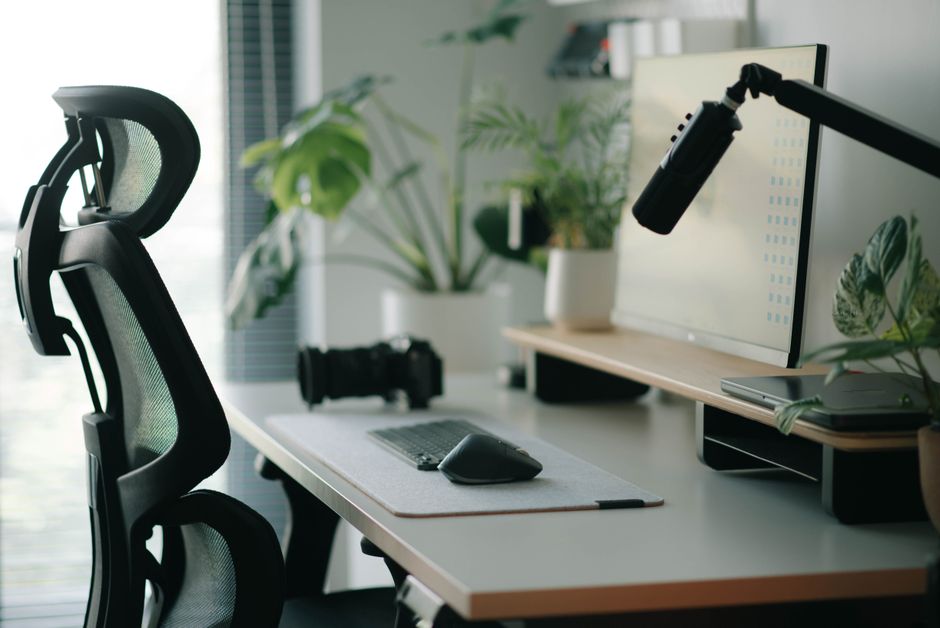
Technology tools solve common everyday problems in a home office by streamlining workflows, enhancing communication, and safeguarding digital assets. Essential accessories include ergonomic input devices to prevent strain, high-quality audio equipment for clear virtual meetings, and smart lighting solutions to reduce eye fatigue. Furthermore, robust cybersecurity measures and privacy-focused gadgets protect sensitive information, while AI-powered assistants can automate repetitive tasks, freeing up valuable time. These tools collectively create an efficient, comfortable, and secure environment, enabling professionals, families, and students to focus more effectively on their tasks.
Working from home, whether full-time or in a hybrid model, demands an environment that fosters focus and efficiency. It’s no longer just about having a laptop; a truly productive home office integrates specific technology and digital tools tech accessories that address common challenges like distractions, discomfort, and digital security. Choosing the right gear can significantly impact your output and overall well-being.
Many of us have cobbled together a workspace, perhaps at the kitchen table or a spare bedroom desk. While functional, such setups often lack the thoughtful integration of technology that can genuinely improve productivity. This guide explores the best tech accessories to improve your home office into a hub of efficiency, comfort, and security, no matter where you are in the US, UK, Germany, or beyond.

Ergonomics and Comfort: Beyond the Basic Setup
Long hours at a desk can take a toll on your body. Investing in ergonomic technology isn’t a luxury; it’s a necessity for sustained productivity and health. Poor posture and repetitive strain can lead to discomfort, impacting your ability to concentrate and perform at your best.
High-Quality Keyboard and Mouse
A good mechanical or ergonomic keyboard, like those from Logitech or Keychron, can significantly reduce wrist strain and improve typing speed. For instance, many professionals in Germany opt for keyboards with a split design, which encourages a more natural hand position. Similarly, an ergonomic mouse, such as a vertical mouse or a trackball, can prevent carpal tunnel syndrome. These devices, though sometimes a larger upfront investment, pay dividends in comfort and longevity.
Monitor Arms and Stands
Often overlooked, a monitor arm allows you to position your screen at the ideal eye level, reducing neck and shoulder strain. Dual monitor setups, common in design studios in London or financial offices in New York, benefit immensely from adjustable arms. For laptops, a simple stand elevates the screen to eye level, pairing it with an external keyboard and mouse to create a more desk-friendly setup.
Audio and Video: Mastering Remote Communication
Virtual meetings are a cornerstone of remote work, demanding clear communication. Muffled audio or grainy video can undermine professionalism and effective collaboration, regardless of whether you’re joining from Paris or Portland.
Noise-Cancelling Headphones
Whether you’re contending with household noise or the hustle and bustle of city life, a pair of quality noise-cancelling headphones is invaluable. Brands like Sony and Bose are favorites, offering excellent sound isolation and microphone clarity, crucial for client calls or focused work sessions. This is particularly useful in denser urban environments like those found in Italy or Spain, where background noise can be substantial.
High-Definition Webcams
Many built-in laptop cameras offer subpar image quality. An external 1080p or 4K webcam, such as those from Logitech or Razer, provides a sharper, more professional image, enhancing your presence in virtual meetings. Consider models with integrated privacy shutters, a practical feature for anyone concerned about cybersecurity and privacy.
Tonies Audio Experience: A Complete Guide to Creative Learning and Screen-Free Play
Smart Home Integration for Productivity and Well-being
The lines between home and office are increasingly blurred. Integrating smart home technology can create an environment that actively supports your work.
Smart Lighting
Proper lighting can reduce eye strain and regulate your circadian rhythm. Smart bulbs from Philips Hue or Nanoleaf allow you to adjust color temperature and brightness throughout the day, mimicking natural light. For example, cooler, brighter light in the morning can boost alertness, while warmer tones in the evening signal relaxation. This proactive approach to well-being is gaining traction across Europe.
Smart Plugs and Power Strips
Automate your office. A smart plug can turn off all your office electronics at the end of the workday, saving energy and providing a clear signal to disconnect. These devices are particularly useful for managing energy consumption, a growing concern for households in regions like Germany and Poland.
AI Tools and Automation: Working Smarter, Not Harder
The rise of AI productivity tools is perhaps the most significant shift in modern home office dynamics. These tools solve common everyday problems by automating mundane tasks and enhancing cognitive functions.
AI-Powered Note-Taking and Transcription
Tools like Otter.ai or Tactiq can transcribe meetings in real-time, allowing you to focus on the conversation rather than frantic note-taking. This is incredibly useful for remote teams scattered across different time zones, from London to Los Angeles, ensuring no detail is missed.
Smart Assistants for Task Management
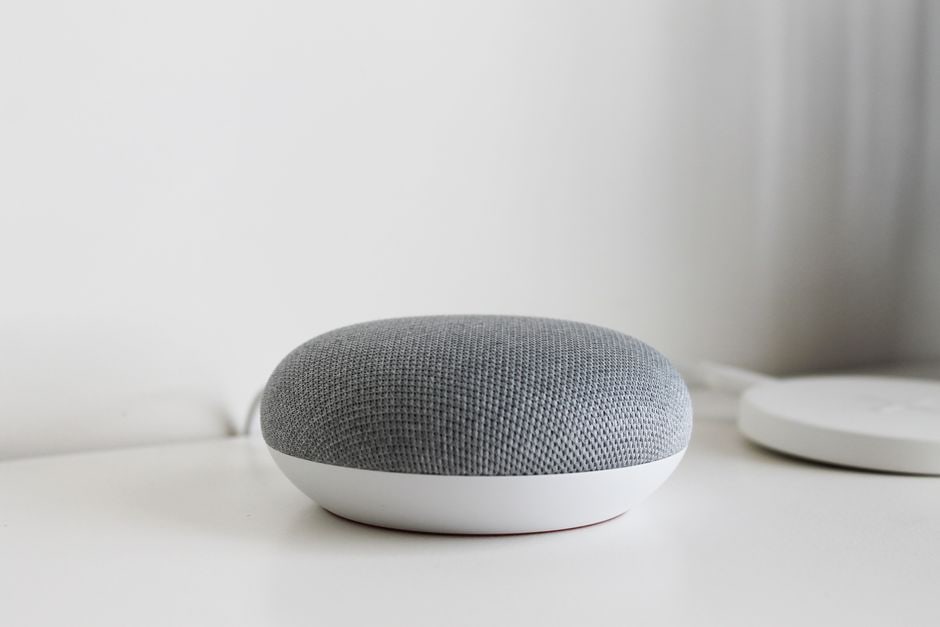
Voice assistants like Amazon Alexa or Google Assistant, when integrated with productivity apps, can manage your calendar, set reminders, and even initiate calls. While the privacy implications of always-on microphones require consideration, their ability to streamline routine tasks is undeniable for many users.
Privacy and Cybersecurity: Protecting Your Digital Sanctuary
As our reliance on technology grows, so does the importance of protecting our digital lives. Data breaches and cyber threats are persistent issues for remote workers globally.
VPN Services and Encrypted Storage
A Virtual Private Network (VPN) encrypts your internet connection, essential when working from public Wi-Fi or even at home to protect sensitive data. Services like NordVPN or ExpressVPN are widely used. For file storage, encrypted cloud services such as Proton Drive offer peace of mind, complying with stringent European privacy regulations like GDPR.
Physical Privacy Covers and Kill Switches
A simple webcam cover is a practical and inexpensive defense against unauthorized access. For microphones, some high-end webcams and headsets include a physical kill switch, offering an extra layer of privacy that software solutions might not provide.
Smart Home Devices: Practical Solutions for Everyday Problems
Connectivity and Power: The Unsung Heroes
Reliable internet and sufficient power are the bedrock of any productive home office. Without them, even the most advanced technology and digital tools tech accessories are useless.
Mesh Wi-Fi Systems
For homes with dead zones, a mesh Wi-Fi system (e.g., Eero, Google Nest Wi-Fi) ensures consistent, strong internet coverage throughout your entire living space. This is particularly beneficial in larger homes, common in rural areas of the US or sprawling properties outside major European cities.
USB-C Hubs and Docking Stations
Modern laptops often have limited ports. A USB-C hub or docking station expands your connectivity, allowing you to connect multiple monitors, external drives, and peripherals with a single cable. This declutters your desk and simplifies connecting and disconnecting your laptop.
FAQ: Common Questions About Home Office Tech
What are the most important technology and digital tools tech accessories for a more productive home office setup?
The most important accessories include an ergonomic keyboard and mouse, quality noise-cancelling headphones, a reliable webcam, and smart lighting. These address fundamental needs for comfort, communication, and environmental control, directly impacting focus and reducing strain during long work sessions.
How can AI tools specifically enhance my home office productivity?
AI tools can enhance productivity by automating repetitive tasks, improving information retrieval, and facilitating better communication. Examples include AI-powered transcription for meetings, smart assistants for calendar management, and writing aids that can refine your emails and documents.
Is investing in cybersecurity accessories for a home office truly necessary?
Yes, cybersecurity accessories are essential. With increased remote work, home networks become targets. A VPN, secure cloud storage, and even simple webcam covers provide crucial layers of protection for sensitive data, safeguarding both personal and professional information from threats.
Can smart home devices genuinely improve my focus and well-being while working?
Absolutely. Smart home devices like intelligent lighting can adjust color and brightness to reduce eye strain and improve alertness. Smart thermostats can maintain optimal temperatures, and smart plugs can help automate ‘off’ times, promoting a better work-life balance and mental well-being.
What should I consider when choosing new technology for a hybrid work model?
For a hybrid model, prioritize portability, seamless connectivity, and solid privacy features. Look for devices that are easy to set up and tear down, have long battery lives, and offer built-in security. Compatibility between your home and office setups is also key for a smooth transition.
Are there specific regulations or concerns in Europe regarding home office tech privacy?
Yes, particularly GDPR (General Data Protection Regulation) in the EU and UK. This impacts how data is collected, stored, and processed. European users should prioritize services and devices that are GDPR compliant, offer strong encryption, and provide clear data privacy policies, especially when using AI tools or cloud services.
Conclusion
Creating a truly productive home office isn’t about buying every gadget; it’s about making thoughtful choices that support your specific work style and well-being. By integrating the right technology and digital tools tech accessories, from ergonomic peripherals to AI productivity aids and solid cybersecurity measures, you can improve your workspace into an efficient, comfortable, and secure environment. These enhancements are crucial for professionals, families, and students navigating the demands of modern remote work across the US, UK, Germany, and beyond. Explore more technology guides on GoTrendlin to refine your setup further.